
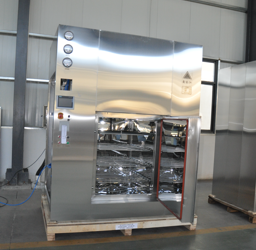
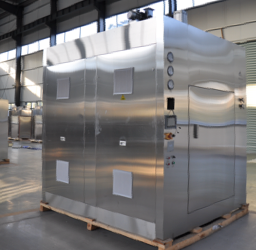
Specification And Model Table
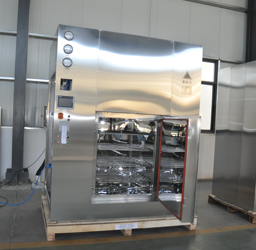
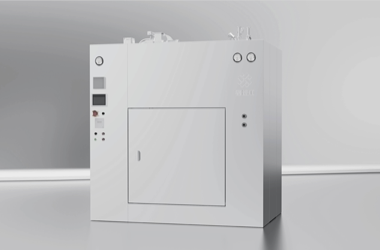
| Product Model | DMH-6 |
| Volume(m³) | 3 |
| Overall Dimension
(W*D*H)(mm) |
1000*2150*1400 |
| Inner Chamber Dimension (W*D*H) (mm) | 2150*2500*2600 |
| Heating Power (KW) | 51 |
| Maximum Amount of Supplementary Air by Frequency Conversion (m2/h) | 660 |
| Usage Amount of Cooling Water (kg/batch) | 550 |
Control System Description
1. Please read the device touch-screen operation instructions first.
2. All operations and settings of the device can be operated through HMI.
3. If you need to modify the set parameters, please set the parameters and click refresh to save the parameters you just set.
4. Press the system settings button, and the touch screen will display two states: automatic and manual. Press the automatic button, and the screen will display two options: “start” and “stop.”. Press the “start” button to automatically run the program, and press the “stop” button to stop the program.
Attention: Under normal production conditions, please use automatic operation.
5. Press the manual button to display the circulating fan, heating fan, and supplementary fan on the screen. At this time, press the circulating fan button to turn on the circulating fan, then press the heating button and supplementary fan button. The heating and supplementary fans will also turn on, and the dry heat sterilization cabinet will be in working mode (if one or more tasks need to be stopped, press any of the function keys again). After the operation is completed, press the return button.
Attention: Heating and fan are interlocked, and heating start-up is based on the operation of the fan.
6. There are three ways to set up the control system (Program 1, Program 2, and Program 3 on the standby interface), which can be run according to your pre-set process parameters.
For example, program one sets sterilization parameters in advance, and program two sets them as heat source parameters. Currently, sterilization is required. We select Program 1, then click System Settings, and select Start. No need to enter parameter settings again to reset parameters.
7. The system is equipped with three-level password protection. Please pay attention to protecting the administrator’s password. If it is lost, please contact the supplier.
Instrumentation
Differential Pressure Gauge:
This equipment provides multiple differential pressure gauges, represented as:
1. The pressure difference between the upstream and downstream of the high-efficiency filter at the air inlet,
2. The pressure difference between the upstream and downstream of the high-efficiency filter at the air outlet,
The pressure difference between the upstream and downstream of the side high-temperature and high-efficiency filter.
Frequency Converter:
Circulating fan frequency converter: can adjust the speed, air volume, starting and braking time of the circulating fan, as well as phase loss alarm.
Supplementing air frequency converter: can adjust the intake air volume and supplement air volume to ensure positive pressure in the working room.
Pressure Transmitter:
Provide pressure difference data between the inner chamber and the outside (usually on the loading side) to the PLC, printer, and recorder.
Printer:
Micro printer: records company name, operator code, batch, main setting parameters, working stage, temperature, time and differential pressure transmitter data, FH value, etc.
Recorder:
Record the curve of temperature and time at one or more points, and record the data provided by the pressure transmitter.
Note: There are two types of recorders: paperless and paperless. Paper recorders can directly output curve records, while paperless recorders need to export data (USB flash drives or card readers) to the computer for printing.